Attendance sheet in Excel
Written by: Rinaily Bonifacio
About this template
As a company, you need to keep track of employee leave records. This can be done with paid software, but of course this can also be done with Excel. The advantage of the leave registration template is that you can keep track of which employees have taken time off when and what this does to their hours.
What is Paid Time Off (PTO)
Paid time off (PTO) is a work benefit that provides paid days off to employees for vacations, holidays, and personal reasons. This paid leave can also include disability or sick leave.
Time off policies vary from employer to employer, with some providing paid vacation days and others providing time off in the form of sick days or other forms of paid leave. Employees typically accrue time off throughout the year, which they can use as needed. PTO is an important benefit for employers because it encourages healthy work-life balance while also providing the employee with flexibility and job satisfaction.
Why do you need a vacation leave tracker?
With a vacation tracker you can keep a leave registration record for all teams. By putting them in one overview you can keep an eye on the all (desired) vacation time. This prevents too many people taking time off on one particular day at the same time and you are understaffed. All public holidays and school vacations can be included so team managers can plan ahead.
What are the benefits of a vacation tracker template?
Leave tracking is an important part of any business, regardless of size.
Review vacation requests in just a few clicks:
They make it easier for employers to monitor leave usage and ensure that leave is taken responsibly by the employee. With excel templates, employers can easily review leave requests and balance leave allocations with the workloads of their staff.
Helps the company manage employee productivity:
A leave tracking template also helps an employer gauge the amount of leave used by each employee during a given period of time. This information is invaluable in making sure that employees have enough rest and downtime, while still maintaining productivity levels within the workplace.
Helps companies identify prevent issues
These templates also provide employers with an easy-to-understand overview of how much leave has been taken and when it was taken. Employers can use this data to identify trends in leave usage and identify any potential problems or issues. Our guide to absenteeism explains which patterns to look out for.
Helps companies streamline the leave management process
Leave tracking templates also help employers ensure that leave is taken in the correct manner. This can include making sure that leave is approved before it’s taken and keeping records of leave taken by each employee. These records are important for ensuring leave regulations are properly followed and that employees do not take too much leave which could affect their productivity levels.
Useful Read: Excel + WhatsApp vs Shiftbase: The True Cost of Rotas, Time Edits and Payroll Errors
Bottom Line on vacation tracking templates vs PTO tracking software
Vacation tracking templates are an easy and inexpensive way to keep track of employee time off. The leave tracker template can be customized with the company's pto policy. However, vacation tracking templates have their limitations. They don’t provide employees with a convenient way to view the vacation days they have available, or request them electronically. Plus, vacation tracking templates are not designed to integrate with payroll systems, so admins must manually enter vacation hours into payroll software every pay period.
On the other hand, PTO tracking software offers many more benefits than vacation tracking templates. Employees can easily view their remaining vacation days on the system and submit requests electronically for approval from management quickly and conveniently. Plus, vacation requests can sync automatically to payroll systems, saving time and reducing errors. PTO tracking software also allows vacation accrual data to be stored in a secure place, which is ideal for compliance requirements.
For businesses looking for an efficient and accurate way to track vacation time, PTO tracking software is the best solution. It streamlines vacation management processes and ensures vacation days are used appropriately without taking up too much time or resources from admins. Additionally, it provides employees with a convenient way to view their vacation days and request them electronically, making the entire process seamless. Ultimately, using PTO tracking software instead of vacation tracking templates can help boost productivity while keeping vacation records organized.
Smarter vacation planning for your employees
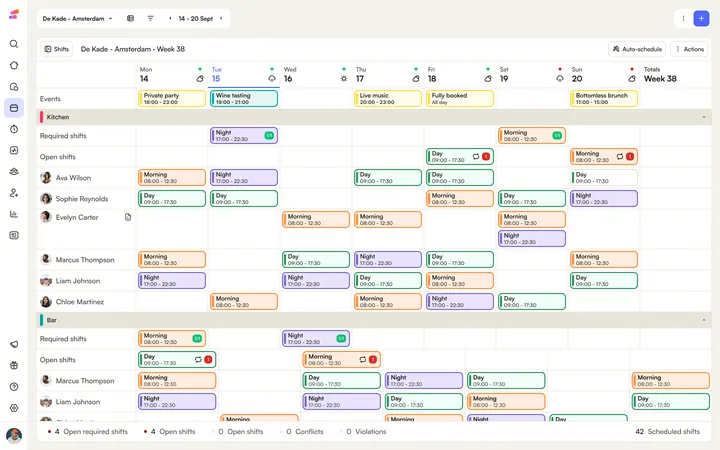
Ready for the next step? Swap the Excel tracker for absence management in Shiftbase. Staff see their own leave balance and request time off in the app, you approve from one overview, and approved leave shows in the schedule straight away.

Rinaily writes for Shiftbase about HR, scheduling and building teams people actually want to work in. She turns the messy reality of workforce planning into practical advice you can put to work today.
The best way to plan your shift team.
A template gets you through this week. Shiftbase keeps the rota, the hours, and the absence in one place for every week after that.
See all downloads
- Excel template for a Pitman scheduleAn Excel template for the Pitman schedule: four crews on 12-hour shifts, a fixed and a rotating version for 53 weeks from your start date, and each crew's hours and overtime per workweek.
- Timesheet calculator with breaksAdd up a week of shifts with breaks, including shifts past midnight, and see the total in hours, in decimals and as pay for the week.
- Schedule in ExcelFree Weekly Excel schedule template. With this planning template, you can easily create your own clearly organized work schedule.
- Free timesheet template in ExcelA free weekly timesheet template in Excel for up to 15 employees. Enter clock-in, clock-out, and breaks, and the hours add up for you.
- Time card templateShiftbase offers a 100% free time card template in Excel. Download it to start working more efficiently and productively today!
- Shift Planning in ExcelShiftbase offers a 100% free planning sheet in Excel. Download the template to start working more efficiently and productively today!
- Roster Template in ExcelShiftbase offers a 100% free roster template in Excel. Download the file to start working more efficiently and productively today!
- Attendance sheet in ExcelShiftbase offers a 100% free attendance sheet in Excel. Download it to start working more efficiently and productively today!
- Employee offboarding ChecklistDownload the employee offboarding template and ensure a seamless offboarding process
- Employee Turnover calculator excel templateDownload our free employee turnover calculator template and discover the true costs of employee turnover in your business.
- Employee Cost Calculator Excel TemplateDiscover how to accurately calculate the total cost of your employees with this step-by-step guide. Learn the essential components that contribute to the overall employee cost and gain valuable insights to optimize your business expenses.
- PTO Accrual CalculatorDitch PTO calculation headaches! Our FREE template tracks accrual & empowers employees. Time freedom awaits!
- Payroll Slip templateDownload our efficient payroll template for HR: automate calculations and manage employee data.
- Time off Request TemplateDownload this free time off request form template that helps you simplify the approval process and ensure fair treatment of all employees.
No downloads match your filters.