HR compliance checklist for shift-based business: what an audit actually asks for
Most managers do not think about compliance until something forces them to. A letter from a labour authority. A former employee who contacts a lawyer. An inspector who shows up unannounced and asks to see documentation. The moment is usually specific and concrete, and the question is always a version of the same thing: show me the paperwork.
This piece is not about scaring you into action. It is a calm walkthrough of what auditors and inspectors actually ask for, where most small businesses come up short, and what changes when the paperwork lives in one place.
What an audit actually asks for
Whether it is an external labour inspection or an internal HR audit, the document list looks roughly the same. The specifics vary by sector, but the core list is much the same for every UK employer. An inspector or auditor will typically want to see:
Document | What they are checking |
|---|---|
A signed contract for every active employee | That terms were agreed in writing before work began |
Tax and payroll registration forms | That the employee was properly registered with the relevant authority |
Working hours records | That rest periods and maximum hours were observed |
Right-to-work or identity verification | That the business checked eligibility before hiring |
Safety and duty checklists (where applicable) | That sector-specific obligations (food safety, retail safety) were met on specific shifts |
Records of any contract renewals or changes | That fixed-term extensions and role changes were documented |
Run through that list and ask, honestly, where each item lives in your current setup. For most operators running HR across a scattered stack of tools, at least two or three of those rows produce a moment of quiet uncertainty. Our guide to human resource management covers the work behind each row.
Where the scattered stack quietly fails
The contract is probably there, somewhere. It might be in an email thread from when the hire happened. It might be in a shared folder that three people have access to. It might be a PDF that came back photographed rather than properly signed, and nobody flagged it at the time.
The tax form might be in a desk drawer, or in the same email thread as the contract, or not fully completed because the new hire sent it back with a field missing and the manager was in the middle of a shift when it arrived and never followed up.
The working hours records exist in the schedule. But the schedule does not capture the shift swap that happened on a Tuesday, or the extra hour a team member stayed when things got busy, or the rest period that got compressed during a summer peak. The exported spreadsheet shows the plan, not what actually happened.
Where hours are tracked in Shiftbase, Reports exports the worked hours per employee for any period, with breaks and approvals logged, so the record an inspector asks for is one you already have.
The safety checklist is on a clipboard by the kitchen door. It gets filled in most days. At the end of the week, someone puts it in a folder. Nobody is sure how far back those folders go or whether they are complete.
"Passport's missing. Sent the wrong stuff. Five emails. Two weeks of frustration." That is how one operator described a single hire from last summer. In an audit, that same scenario becomes a missing contract, an unverified right-to-work check, and an incomplete employee record, all in one case.
The compliance dimension of running seasonal volume makes this worse, not better. When a business hires 15 or 20 people in a short window, as hospitality and retail businesses do every summer, the gaps compound. If seasonal hiring is part of how your business runs, we cover that side separately in our guide to getting 20 seasonal hires shift-ready in days.
The specific gaps that create the most exposure
Three failure modes show up repeatedly in shift-based businesses.
The unsigned or improperly signed contract. A contract that was sent but never returned, or returned as a phone photo of a printed page, is not a signed contract in any meaningful legal sense. In a wrongful dismissal claim or a dispute over terms, an unsigned contract helps nobody. The gap is invisible until it matters.
The expired certificate or lapsed registration. Food hygiene certificates. First aid qualifications. Right-to-work documents with expiry dates. These have a shelf life, and in a busy operation, nobody is tracking that shelf life systematically. The certificate on file was valid when it was uploaded. Whether it is still valid today is a different question, and one that most scattered setups cannot answer quickly.
The missing shift-level audit trail. In food service, retail, and several other sectors, compliance is not just about having the right documents on file. It is about being able to show that specific checks were completed on specific shifts. A paper checklist in a folder is not nothing, but it is harder to produce on demand, easier to lose, and impossible to query across a date range when an inspector asks about a specific period.
What changes when the audit trail lives in one place
The goal is not a perfect compliance system. The goal is being able to answer the question "show me the documentation" without a search through email threads, desk drawers, and WhatsApp archives.
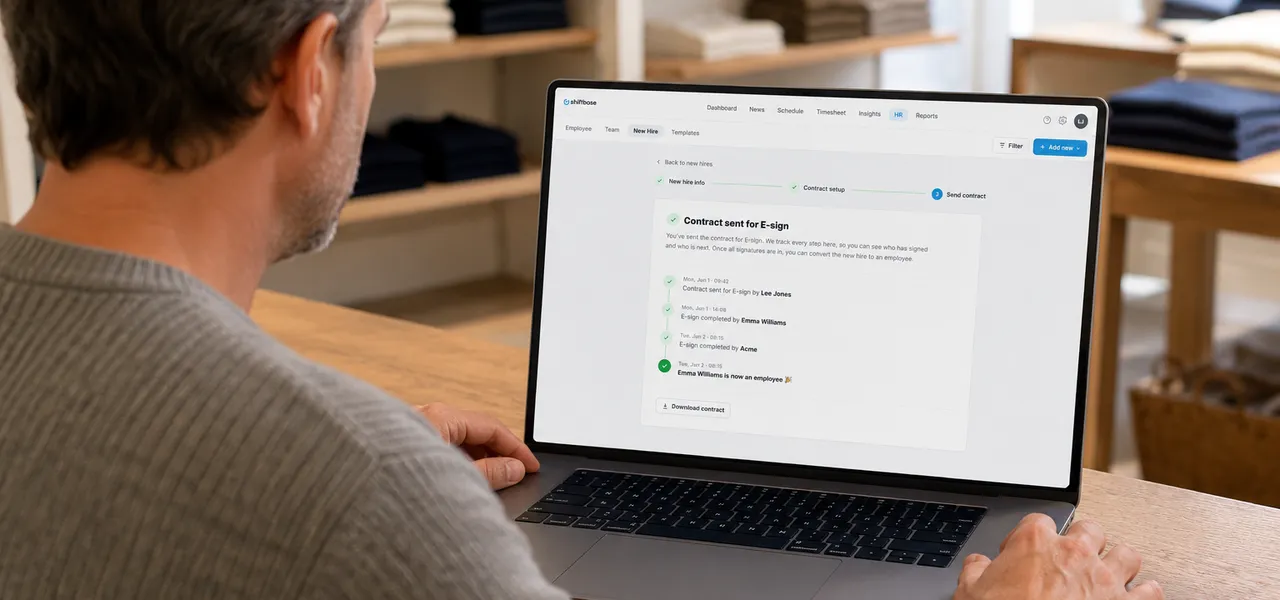
HR Pro addresses the document side of that directly. The hire flow collects identity documents and stores them against the employee record in the Shiftbase account. Contracts are generated from a template, signed digitally via YouSign, and filed automatically. The signed copy is there, dated, with a clear record of when it was sent and when it was returned. Contract renewals go through the same flow, so the paper trail for fixed-term extensions is consistent rather than ad hoc.
That shift, from one person carrying the compliance status of the whole team in their head to a system that surfaces gaps before they become problems, is what the audit trail in one place actually delivers.
For the bigger picture on why one platform beats a scattered HR stack, this piece covers it in full.
A practical starting point
The compliance checklist below covers the core documents most shift-based businesses need to have on file. Use it as a quick audit of your current setup.
Document | Where it lives now | Easily produced on demand? |
|---|---|---|
Signed contract (every active employee) | ||
Tax / payroll registration form | ||
Right-to-work or identity verification | ||
Working hours records (including deviations from schedule) | ||
Expiry dates for certificates and qualifications | ||
Shift-level safety or duty checklists | ||
Records of contract renewals or changes |
If any row in the "easily produced on demand" column produces a hesitation, that is the gap worth closing first.
Where to start
Already using Shiftbase? Switch on HR Pro in Settings and run one hire end to end to see the document trail it builds. Visit the HR Pro feature page for a full walkthrough.
New to Shiftbase? If your employee records are currently spread across email threads, shared folders, and desk drawers, a demo is the fastest way to see what a connected document trail looks like in practice. Book a demo here.
Frequently asked questions
No tool makes a business fully compliant on its own. HR Pro gets contracts signed, collects documents and files both on each person's record, and Shiftbase tells you before a contract runs out. Whether those documents meet the specific requirements of your jurisdiction is still the employer's responsibility. What HR Pro removes is the risk of documents being lost, missing, or never properly collected in the first place.
In the UK there is no single period. HMRC asks you to keep payroll records for 3 years from the end of the tax year they relate to, holiday and holiday pay records must be kept for six years (since 6 April 2026), and right to work copies for as long as someone works for you plus two years. HR Pro stores documents in the Shiftbase account for as long as the account is active; retention policies beyond that are the employer's responsibility to manage.
A contract signed through a recognised e-signature service (HR Pro uses YouSign) records who signed and when, and UK law accepts an electronic signature as evidence (Electronic Communications Act 2000, section 7). A photograph of a printed and handwritten signature carries more risk: it is harder to verify, easier to dispute, and may not meet evidentiary standards in some contexts. If existing contracts in your business fall into the second category, renewing them through a proper e-signature flow is worth prioritising.
The hire flow is browser-based and requires no app download or Shiftbase account. If an employee genuinely cannot or will not complete it digitally, the manager can enter their details manually in the Shiftbase account and handle the contract separately. The document trail will be less complete in that case, but the employee record still exists.
Not on its own. HR Pro covers the contract and document side: contracts, e-signatures, and identity documents and certificates on each person's record. Sector-specific records, such as food hygiene certificates, HACCP logs or safety checks, still need their own process.

Rinaily writes for Shiftbase about HR, scheduling and building teams people actually want to work in. She turns the messy reality of workforce planning into practical advice you can put to work today.

HR software for shift-based teams: why one platform beats a stack of free tools
Most shift-based managers run HR across 5 or 6 free tools. The result: missed paperwork, compliance gaps, and hours lost per hire. One platform fixes that.

Employee appreciation ideas that actually work for shift-based teams
Gift cards and pizza don't cut it for shift workers. Here are employee appreciation ideas that actually work for hospitality, retail, & shift-based teams.

7 HR KPIs shift-based managers should track in 2026
7 HR KPIs shift-based managers actually track; absence rate, overtime, labour cost % and more. What each means and how to measure it with Shiftbase.