Introducing Auto-scheduling: a big step towards zero admin.
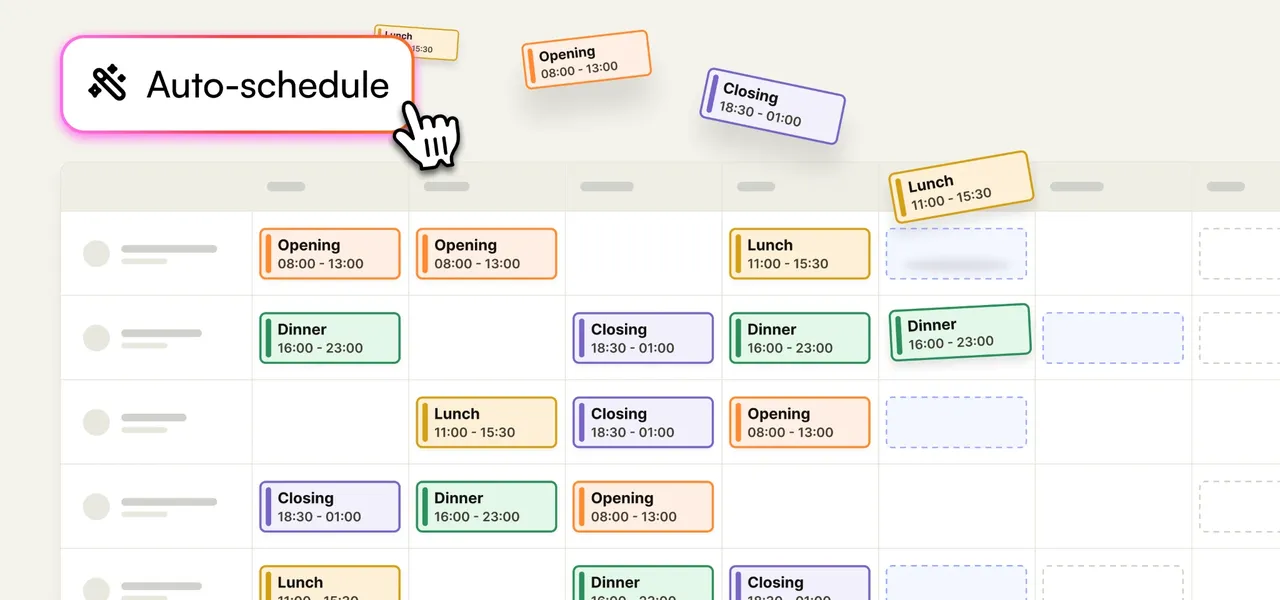
Today is a big day at Shiftbase: Auto-scheduling is live. From now on, Shiftbase builds your schedule for every department and location at once. It's the biggest step yet in the sharper mission we set out in September: taking admin away from shift-based businesses, step by step, until there's nothing left.
From today, Shiftbase drafts your schedule.
Auto-scheduling is the biggest upgrade to Shiftbase scheduling yet, and it's included in Premium. Pick your departments and a period, press one button, and the draft is there: every shift filled with the right person, with the labour cost right next to it. You check it and publish it.
Why start with the schedule? A while ago I shared our new north star: zero minutes of admin a day. In hundreds of conversations with you, one thing kept coming up: building the schedule is where most of those minutes go. So that's where we started.
This one is personal. I started programming at about eight for the same reason I wanted Auto-scheduling: to make the computer do the boring part. Back then the boring part was starting MS-DOS games for my sister Anouk, until she could do it herself. Now it's your schedule, and I'd rather you spent that time on what you truly care about.
From two days to two hours to zero.
Irem Güneri plans five departments and almost 100 employees at WONDR Experience in Amsterdam. Many of her colleagues work across venues, and plenty of shifts need a specific skill. Building her weekly schedule took two full working days. Per week that was. Including a half-day four-eyes review, and the result was "a schedule that works", not the best one. With Auto-scheduling it takes two hours, cross-checks included. Her next goal is bringing it back to minutes. And that’s possible.

She also showed us where our first versions fell short. While we were testing with Irem and about 100 other customers, Auto-scheduling planned one venue at a time. Because her people work across venues, it couldn't plan someone in the second venue once they'd hit their maximum in the first. She asked whether it could plan all departments as one team. Of course, Irem. A week later it could.
That's how we want to build this: with hundreds of business owners & planners like Irem, on real schedules, for real businesses and the people who work in them.
Drafting the best possible schedule.
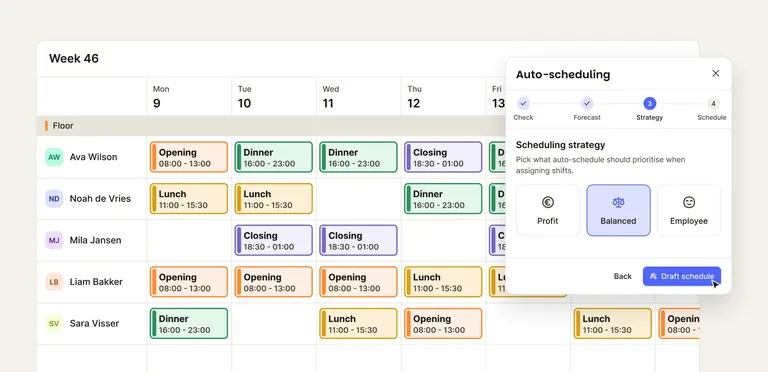
Auto-scheduling opens in a side panel on your schedule. A draft takes five steps.
Pick the departments and the period. Up to a month at a time, across as many departments and locations as you need. Before every draft, Shiftbase checks what it needs: required shifts, skills, wages, availability, and more. Anything missing gets a link to fix it. This way, you know Shiftbase will produce the best possible schedule.
Set your coverage. You decide how many people each team needs and when: by hand, from a template or by reusing a previous schedule. Those are the shifts Auto-scheduling fills. Shifts you already assigned stay where you put them.
Pick a goal. Profit goes for the lowest labour cost, Employee puts your team's preferences first, and Balanced sits between the two.
Shiftbase assigns. In the background, Shiftbase compares thousands of possible schedules and weighs every shift against availability, skills, contract hours, labour cost, and more. Contract hours fill before overtime and flex. Approved absence is always respected. Availability counts as a preference unless you set it to strict.
Read the draft. You see the labour cost against your target, in green or red. Every shift it couldn't fill shows why each person wasn't picked, best fit first, and leftover shifts become open shifts in one click. Apply the draft, change anything you like, then publish. Nothing reaches your team before that.
The shifts it can't fill tell you your plan to improve your business. If Saturday mornings keep coming up short on people with the right skill, that's a hiring or training question, not a scheduling one. (Train more baristas. I like good coffee.)
How AI powers Shiftbase.
I'd rather say this plainly: Auto-scheduling isn't AI scheduling. It also can’t be done with ChatGPT or Claude. Assigning people to shifts runs on thousands of rules. Shiftbase works out the best schedule that follows your rules, and for every shift it can tell you why.
The AI comes before that, and it answers the hardest question in scheduling: how busy will it be, and how many people do you need? Guess too high and you pay for people standing around. Guess too low and your team runs itself ragged while customers wait. Most planners answer it from gut feeling and last week's schedule. Shiftbase answers it in two steps.
AI forecast tells you how busy you'll be. It predicts your turnover per department per day, up to 28 days ahead, from your revenue history, the weather and the calendar. A sunny Saturday, a public holiday, a quiet Tuesday in January: it's in the numbers before you open the schedule.
Labour demand tells you how many people that takes. It works out how many people each team needs per hour, from your past timesheets, the weather and the calendar. No turnover data? It still works.
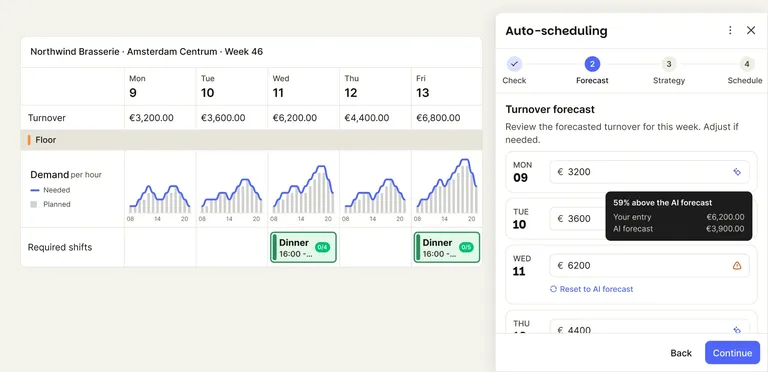
Both need about a month of history before they show a figure. Together they set your coverage, which Auto-scheduling fills. You know how many people Saturday needs before Saturday.
You don't need either to start. Required shifts and your team's availability, skills and contract hours are enough for a first draft.
And the forecast is no crystal ball either. Three weeks into our first pilot, a snowstorm hit the Netherlands and the forecast missed it, because snowstorms weren't in the data. It gives you a strong baseline that gets sharper the longer you use it. We'd rather tell you that than put a percentage on it.
What it doesn't do yet.
Auto-scheduling is a big step, not the last one. Here's what it doesn't do today, so you know where you still need to step in.
Basic working-time checks only. The draft keeps to contract hours, the hour limits in your settings and basic EU working-time rules. Check your local rules before you apply it.
Day and evening shifts only. 24-hour, on-call and rotating patterns aren't covered yet.
Surcharges and overtime aren't in the draft's cost figures yet.
If one of these gets in your way, or anything else does, tell us. The fix for Irem took a week because she told us exactly what didn’t work for her.
Where to start.
On Premium, open your schedule and press Auto-schedule. Start small: one department, your required shifts and a week. Read the draft before you apply it, then add the next department. The step-by-step guide walks you through every setting, and Irem's story shows what it looks like with five departments.
Not on Shiftbase yet? Try it free for 14 days, no card details needed.
Zero minutes of admin a day is still where we're heading. Want to try what we're building next? Have a look at Shiftbase Labs. And if part of your schedule, or anything else about running your business, still costs you an evening, tell me. We'll work on that next.


New look, sharper mission.
This is how Shiftbase looks from today. A new logo, new colours and a sharper mission: taking admin away from businesses that work in shifts, step by step.

Shiftbase partners with Fortino Capital
Shiftbase partners with Fortino Capital to support its next phase of European expansion
Shiftbase awarded top time-tracking software for businesses in 2024
Shiftbase was named to Tekpon's list of the best time-tracking software. What the list looks at, and what it says about how the product is used.